Script Details
## 🌟 Key Features
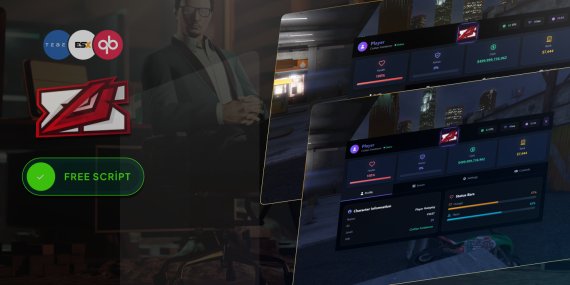
### 1. Player Statistics
- Real-time health and armor tracking
- Detailed character information
- Hunger and thirst status bars
- Dynamic money and bank balance display
### 2. Server Information
- Live server player count
- Server uptime and game mode
- Online players list with ping information
- Instant server status updates
### 3. Environment Controls
- Advanced weather system with multiple conditions
- Precise time and time speed management
- Wind, cloud, and fog density controls
- Realistic weather transitions
### 4. Audio & Display Settings
- Granular volume controls (Master, Music, SFX)
- Customizable HUD, minimap, and notification settings
- Crosshair and display toggles
### 5. Modern UI/UX
- Responsive and animated design
- Gradient-based color schemes
- Smooth transitions and interactions
- Mobile and desktop-friendly layout
## 🚀 Performance Optimization
- Lightweight and efficient script
- Minimal resource consumption
- Tailwind CSS for rapid rendering
- Vue.js for reactive user interface
## 🔧 Framework Compatibility
- QBCore Framework Support
- ESX Framework Integration
- Flexible framework detection
- Easy configuration
## 📦 Installation
### Prerequisites
- FiveM Server
- QBCore or ESX Framework
- Basic server configuration knowledge
### Installation Steps
1. Download the script
2. Place in your FiveM resources folder
3. Add to your `server.cfg`
4. Configure `config.lua`
## 🌐 SEO Keywords
FiveM, Player Menu, Server Management, Game Interface, Role-Playing, Server Controls, Player Statistics, Environment Management
## 💡 Unique Selling Points
- Cutting-edge player menu design
- Comprehensive server and player insights
- Highly customizable environment controls
- Seamless framework integration
- Modern, responsive user interface
## 🔒 Compatibility
- FiveM Latest Version
- Windows, Linux Servers
- QBCore v1.0+
- ESX Legacy
01 Are your scripts compatible with ESX & QBCore?
Yes! Most of our scripts support ESX, QBCore, and other popular frameworks. Check each product page on Tebex for full compatibility.
02 Are your scripts optimized for Resmon/MS?
Absolutely. All our scripts are optimized for low resource usage to ensure smooth gameplay and performance.
03 Do you offer installation help?
Yes. Every script includes a full setup guide. You can also reach out via Discord or ticket for support.
04 How often are scripts updated?
We regularly release updates with new features and fixes. Get updates via Tebex or our Discord server.
05 Are scripts customizable?
Of course. Each script includes config files for easy customization without editing the core code.
06 What makes your scripts better than free ones?
Our premium scripts are secure, well-coded, frequently updated, and come with real support—unlike many free or leaked alternatives.
07 What types of scripts do you offer?
We offer jobs, activities, UIs, tools, and more. Explore our Tebex store to find the best scripts for your FiveM server.